

Portugal ERP Solutions and E-Invoicing Software Experts

Portugal e-Invoicing for Microsoft Power Automate
Get Started Automated AT Workflows for Power Platform Businesses
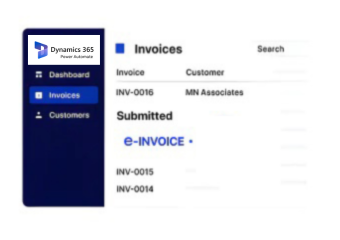
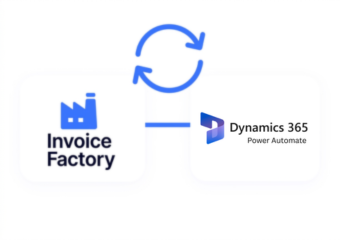
Advintek connects Power Automate workflows with Portugal e-invoicing processes, helping automate structured AT document handling.
Powerful features

Make Portugal E-Invoicing Part of Your Power Automate Flows

Affordable pricing for SMEs

Simple, Transparent Pricing

Starting from as low as

RM 20

How Power Automate Connects with Advintek

  • Business Events Trigger Flows: Configured Power Automate events can initiate the invoice processing sequence automatically.
  • Invoice Data Moves Forward: Relevant information is transferred from connected applications into the configured Advintek workflow.
  • Validation Takes Place: Invoice information is checked against applicable Portugal-focused processing requirements.
  • Exceptions Follow Defined Paths: Records requiring attention can be directed toward appropriate review or correction actions.
  • Workflow Responses Return: Processing results can flow back into connected Power Automate processes for subsequent actions.
  • Connected Systems Receive Updates: Applicable invoice statuses or outcomes can update downstream business records automatically.

What Advintek Adds to Power Automate

Advintek gives Power Automate workflows a dedicated Portugal e-invoicing layer, allowing AT processing to become part of existing automated business processes.

What is Advintek's e-invoice connector for Zoho Books
Why-Affinity-CRM-Users

Why Power Automate Users Choose Advintek

  • Event-Driven Processing: Invoice activities can begin from configured Power Automate triggers, reducing the need for users to manually initiate routine processing.
  • Cross-System Coordination: Relevant invoice information can travel between business applications and Advintek as part of existing automated workflows.
  • Approval Continuity: Internal approval processes can remain connected with AT processing, helping businesses maintain their preferred review structure.
  • Exception-Based Automation: Documents requiring corrections or additional attention can follow separate workflow paths instead of interrupting every invoice process.
  • Automated Follow-Up: Processing outcomes can initiate configured actions, allowing connected applications to respond to invoice events automatically.
  • Power Platform Alignment: Advintek complements Power Automate by adding Portugal-focused AT capabilities to workflows already designed around the Power Platform.
Powerful features

Power Automate Capabilities for Portugal E-Invoicing

Built for UAE Businesses Using QuickBooks

Built for Power Automate Businesses in Portugal

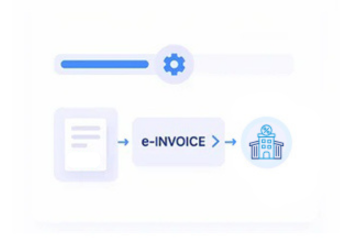
Advintek helps Power Automate users connect their existing business workflows with Portugal-focused e-invoicing processes without rebuilding their automation environment.

Activate Portugal E-Invoicing in Power Automate

Automated Workflows for Portugal Compliance

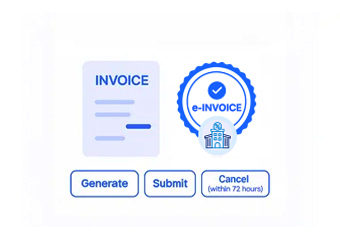
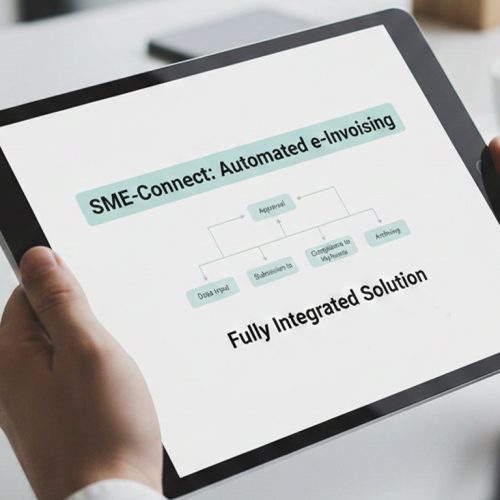
Advintek adds Portugal-focused AT processing to Power Automate, connecting invoices with automated workflows.

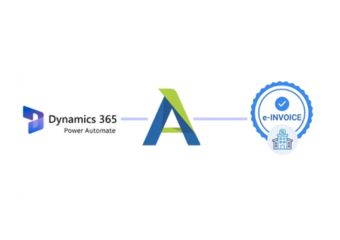
Microsoft Power Automate drives workflows; Advintek manages AT processing.

Ready e-Invoice System

0 % AT

Frequently Asked Questions Power Automate e-Invoicing Portugal

1. Can Microsoft Power Automate connect with Advintek for Portugal e-invoicing?

Yes. Power Automate can connect business workflows with Advintek’s Portugal-focused e-invoicing processes. Configured flows can trigger invoice processing, transfer relevant information, receive processing responses, and initiate subsequent actions. This allows businesses to incorporate AT document processing into their existing Power Platform automation environment.

Yes. Configured Power Automate triggers can initiate invoice processing when supported business events occur. For example, a new invoice record or completed internal process can activate the relevant workflow. The exact trigger configuration depends on the applications, connectors, and automation design used by the business.

Yes. Existing approval stages can remain part of the Power Automate workflow while Advintek handles the connected Portugal AT processing. This allows businesses to preserve internal review procedures and determine when an invoice should proceed, pause, or follow another configured workflow path.

Configured workflows can identify processing responses and direct invoices requiring attention toward appropriate Power Automate actions. Depending on the workflow design, users can be notified, records can be updated, or corrective steps can be initiated before the invoice continues through the applicable processing sequence.

Yes. Processing responses can be used within Power Automate to initiate configured downstream actions. Depending on the integration, these actions may update connected records, notify relevant teams, or continue other business processes. The available actions depend on the applications and workflow configuration used by the organization.