

Compliance That Fits Microsoft Dynamics Business Central Users
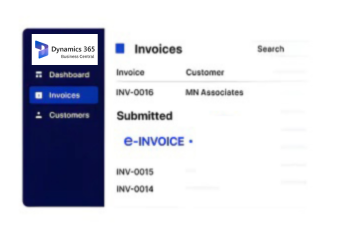
How Microsoft Dynamics 365 Business Central Data Flows Into AT Documents
- Sales Activity Initiates Processing: Relevant Business Central sales records enter configured Portugal invoice workflows.
- Customer Profiles Support Identification: Applicable account information accompanies corresponding Portugal AT documentation.
- Items Provide Transaction Detail: Relevant product and service data supports complete invoice records.
- Posting Records Add Financial Context: Applicable posting information accompanies related transaction data during processing.
- Fulfilment Data Connects Deliveries: Relevant delivery information remains associated with corresponding AT invoices.
- Entity References Distinguish Transactions: Applicable company details help separate business activity across entities.
What Advintek Brings Into Microsoft Dynamics 365 Business Central
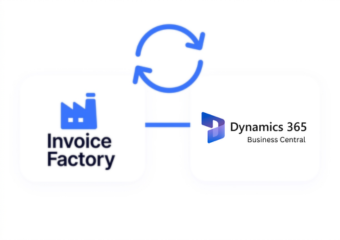
Advintek works alongside Microsoft Dynamics 365 Business Central to prepare applicable transaction information for structured Portugal AT invoice processing.
- Extends existing Business Central processes
- Organizes applicable invoice information
- Links ERP data with documents
- Supports Portugal AT workflows
Why Microsoft Dynamics 365 Business Central Data Helps For Invoicing
- Sales Activity Continuity: Relevant sales information can remain associated with invoices, helping teams connect AT documents with originating customer activity.
- Customer Record Consistency: Applicable account details can accompany invoices, maintaining useful identification between Business Central records and AT documentation.
- Transaction Line Visibility: Product and service information can remain connected with invoices, helping users understand individual billing components.
- Posting Context: Relevant financial posting data can provide additional information when teams review invoice records against Business Central activity.
- Fulfilment Association: Delivery information can remain linked with invoices, creating clearer relationships between completed fulfilment and customer documentation.
- Entity Identification: Company references can help separate invoice activity across Business Central entities and related organizational structures.
Complete Control Over Portugal E-Invoicing Workflows in One Platform
Error Detection and Resolution Support
Relevant Business Central sales information can support Portugal invoice workflows with connected commercial transaction context.
Dashboard and Reporting
Applicable customer information can remain associated with corresponding AT invoice documentation.
Dedicated e-Invoicing
Support
Relevant delivery data can provide useful context for structured invoice preparation.
What Microsoft Dynamics 365 Business Central Contributes to AT Processing
Advintek connects sales activity, customer profiles, item information, posting records, and fulfilment details with Portugal-focused invoice processing.
- Connect sales activity with invoices
- Preserve customer profile information
- Associate items with documents
- Maintain delivery references
For Portugal AT Processing
Advintek prepares applicable Microsoft Dynamics 365 Business Central transaction for Portugal documentation.
Simplify AT administration around established ERP records.
Ready e-Invoice System
Frequently Asked Questions Microsoft Dynamics e-Invoicing Portugal
1. What Microsoft Dynamics 365 Business Central information can enter a Portugal invoice workflow?
Depending on the configured integration, sales activity, customer profiles, product or service information, posting records, fulfilment details, and company references can provide source information. Advintek processes applicable Microsoft Dynamics 365 Business Central data through the configured Portugal AT invoice workflow.
2. Can Microsoft Dynamics 365 Business Central customer information stay connected with invoices?
Where supported by the integration, applicable customer and account information can remain associated with invoice records. This helps maintain consistent business identification and provides useful context when finance teams review documents originating from Microsoft Dynamics 365 Business Central transactions.
3. How can product information from Microsoft Dynamics 365 Business Central support invoice records?
Relevant item and service information can contribute to invoice documentation where supported by the configured workflow. Maintaining transaction-line details helps users understand the products or services represented within invoices and retain useful information from originating Microsoft Dynamics 365 Business Central records.
4. Does Microsoft Dynamics 365 Business Central delivery information contribute to invoice context?
Applicable delivery or fulfilment information can provide additional context where included in the configured integration. This can help connect completed deliveries with corresponding invoice records and give finance teams a clearer relationship between operational fulfilment and customer billing activity.
5. Can Microsoft Dynamics 365 Business Central company references distinguish invoice activity?
Yes, where applicable organizational or company information is available through the integration. Such references can remain associated with invoice records, helping organizations distinguish transactions across Microsoft Dynamics 365 Business Central entities and maintain clearer document context during financial review.