

Compliance That Fits Microsoft Dynamics 365 Field Service Users
How Microsoft Dynamics 365 Field Service Records Become Invoices
- Work Orders Supply Service Details: Completed work order data enters configured invoice processing workflows.
- Customer Records Identify Accounts: Applicable customer information accompanies corresponding service documentation.
- Assets Provide Equipment Context: Relevant asset references remain associated with invoice records.
- Technician Activity Supports Documentation: Applicable field activity contributes to invoice preparation.
- Agreements Connect Service Activity: Relevant agreement details remain linked with transactions.
- Completion Records Support Traceability: Finished work information remains connected with AT documents.
What Advintek Adds to Microsoft Dynamics 365 Field Service
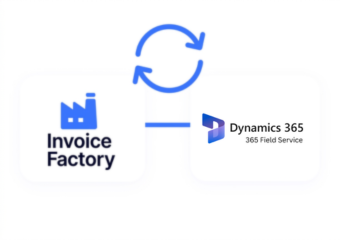
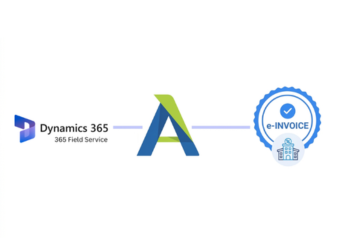
Advintek adds a Portugal-focused AT layer around Dynamics 365 Field Service, transforming relevant service information into structured invoice documentation.
- Extends service invoice workflows
- Connects field records with invoices
- Preserves equipment-related context
- Supports Portugal AT documentation
Why Microsoft Dynamics 365 Field Service Data Matters
- Work Order Continuity: Relevant work order information can remain associated with invoices, helping finance teams understand which completed service activity produced each AT document.
- Asset-Level Identification: Equipment references can accompany applicable invoice records, providing useful context for maintenance, repairs, installations, and other asset-related field activities.
- Customer Service Context: Customer information can stay connected with service documentation, helping teams maintain a clearer relationship between field activity and resulting invoices.
- Technician Activity Records: Applicable technician information can support invoice context where field work contributes to the underlying transaction.
- Agreement-Based Service Tracking: Relevant agreement references can remain associated with applicable records, helping distinguish contracted service activity from other field-service transactions.
- Completion Documentation: Work completion information can remain connected with processed invoices, giving teams additional context when reviewing AT documents generated from finished assignments.
Complete Control Over Portugal E-Invoicing Workflows in One Platform
Error Detection and Resolution Support
Relevant work order details can support Portugal invoice workflows with completed service transaction context.
Dashboard and Reporting
Applicable customer asset information can remain connected with related AT invoice documentation.
Dedicated e-Invoicing
Support
Relevant service agreement details can support invoice preparation for applicable field-service transactions.
Built Around Microsoft Dynamics 365 Field Service Operations
Advintek connects work orders, assets, service activities, and agreements with Portugal-focused AT document processing.
- Link work orders with invoices
- Preserve asset service information
- Associate agreements with documents
- Maintain completion references
For Portugal AT Requirements
Advintek helps process field-service billing information through structured Portugal AT workflows.
Keep service records connected with AT documents.
Ready e-Invoice System
Frequently Asked Questions Microsoft Dynamics e-Invoicing Portugal
1. Which Microsoft Dynamics 365 Field Service records can support invoice creation?
Depending on the configured integration, work orders, customer information, asset references, service activities, agreement details, and completion information can provide relevant source data for invoice processing. Advintek uses applicable information from Dynamics 365 Field Service within the configured Portugal AT document workflow.
2. How can customer assets be connected with Field Service invoices?
Where supported by the integration, relevant customer asset references can remain associated with invoice information. This provides additional context about the equipment involved in the service activity and helps teams identify which asset-related work corresponds with a particular AT document.
3. Can completed work orders retain their relationship with invoices?
Yes, where supported by the configured workflow. Relevant completed work order information can remain associated with resulting invoice records, helping service and finance teams connect the AT document with the field activity, customer requirement, and work completed by the service organization.
4. Do service agreements provide context for invoice processing?
Applicable service agreement information can contribute to invoice processing where included in the configured integration. Maintaining agreement references can help identify invoices associated with particular service arrangements and provide useful context about the field-service activity represented within the corresponding AT documentation.
5. Can technician activity contribute information to AT invoices?
Where supported by the configured workflow, relevant technician activity can provide supporting transaction information for invoice processing. This can help connect field execution with the resulting AT document while allowing Dynamics 365 Field Service to continue managing technician assignments and service operations.