

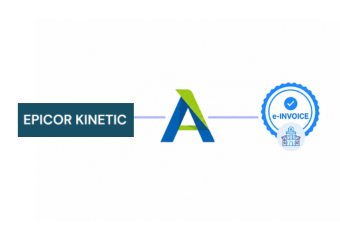
Compliance That Fits Epicor Kinetic ERP Users
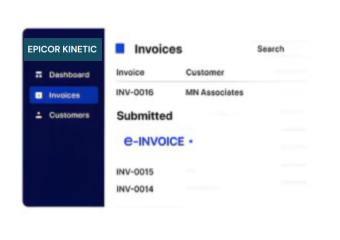
How Epicor Kinetic Invoices Move Through Advintek
- Order Information Initiates Flow: Sales and order information from Epicor Kinetic provides relevant details for connected invoice processing.
- Fulfillment Details Are Associated: Applicable shipment and delivery information can be linked with the corresponding commercial transaction.
- Billing Records Are Prepared: Relevant information is organized into the required structure for the configured invoice workflow.
- AT Conditions Are Applied: Applicable Portuguese invoicing requirements are incorporated into the processing sequence.
- Adjustments Follow Defined Paths: Credit documents and other supported invoice adjustments can move through their designated processing route.
- Final Documentation Is Recorded: Completed invoice information and associated processing results are retained for accounting and administrative reference.
What Does Advintek Add to Epicor Kinetic?
Advintek introduces a Portugal-focused AT processing layer around Epicor Kinetic, connecting manufacturing transactions with invoice workflows while keeping operational processes within the ERP.
- Connects orders with AT documents
- Links fulfillment information to billing
- Supports manufacturing-related invoice adjustments
- Adds Portugal-focused AT processing
Why Manufacturers Use Advintek with Epicor Kinetic
- Order and Billing Alignment: Connecting commercial orders with resulting invoice documents can help finance teams maintain a clearer relationship between sales activity and AT records.
- Fulfillment Visibility: Relevant delivery information can remain associated with billing documentation, making it easier to understand invoices generated from completed shipments.
- Manufacturing Context Retention: Where applicable, operational information can remain connected with financial documents, giving teams better visibility into transaction origins.
- Simpler Adjustment Administration: Supported credit documents and invoice adjustments can follow defined workflows, reducing confusion around subsequent financial documentation.
- ERP-Centered Processing: Compliance activities operate around Epicor Kinetic information, allowing manufacturing teams to retain their established ERP-based processes.
- AT Workflow Separation: A dedicated compliance layer helps distinguish Portuguese AT processing from the broader production and manufacturing functions handled within Kinetic.
Everything You Need for Portugal E-Invoicing in One Place
Real-Time Validation Feedback
Coordinate relevant sales-order information with invoice processing to create stronger links between commercial activity and resulting AT documents.
Centralized Financial Dashboard
Connect applicable shipment and delivery details with billing information, supporting clearer documentation of transactions completed through manufacturing operations.
Continuous Compliance Support
Process supported credit and adjustment documents through defined routes while maintaining relationships with the relevant original financial records.
Built for Manufacturers Using Epicor Kinetic in Portugal
Advintek supports manufacturers using Epicor Kinetic to coordinate orders, production activity, fulfillment, billing, and Portugal-focused AT documentation through connected processes.
- Continue manufacturing operations in Kinetic
- Link fulfilled orders with invoices
- Manage supported billing adjustments
- Coordinate AT documents centrally
Connect Manufacturing with Compliance
Advintek adds Portugal-focused invoice processing around Epicor Kinetic while keeping core manufacturing activities within the ERP.
Epicor Kinetic manages manufacturing operations. Advintek supports AT workflows.
Ready e-Invoice System
Frequently Asked Questions Epicor Kinetic ERP E-Invoicing Portugal
1. How does Epicor Kinetic connect with Advintek for Portugal e-invoicing?
Epicor Kinetic can continue managing manufacturing, sales orders, fulfillment, inventory, and related ERP activities while relevant billing information enters Advintek’s configured Portugal invoice workflow. The connection provides an additional AT processing layer around Kinetic-generated information without replacing the ERP’s core operational functions.
2. Can Epicor Kinetic shipment information be associated with invoices?
Where supported by the configured integration, relevant shipment and delivery information can accompany invoice data generated from Epicor Kinetic. Maintaining this relationship can help manufacturers connect billing documents with fulfilled orders and provide finance teams with stronger transaction context during reconciliation.
3. Can manufacturing orders generate connected invoice workflows in Epicor Kinetic?
Epicor Kinetic can manage the operational information associated with manufacturing and commercial processes, while the connected workflow can use relevant billing information for subsequent invoice processing. The exact relationship depends on how the manufacturer’s order, fulfillment, and billing processes are configured within Kinetic.
4. How are Epicor Kinetic credit documents handled through Advintek?
Supported credit notes and invoice adjustments can follow defined processing routes within the integration. Relevant information from Epicor Kinetic can be associated with the adjustment document, helping maintain the connection with the original transaction and supporting more orderly administration of subsequent AT records.
5. Does Advintek replace Epicor Kinetic's manufacturing functions?
Invoice tracking is managed through dashboards providing validation results, submission responses, and real-time visibility across Abel ERP environments.