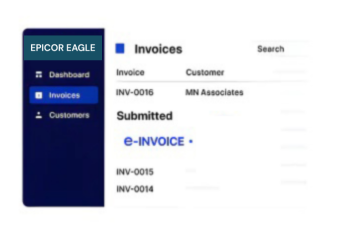


Compliance That Fits Epicor Eagle ERP Users
How Epicor Eagle Transactions Enter AT Processing
- Sales Transactions Start Processing: Relevant Epicor Eagle sales data enters configured invoice workflows.
- Merchandise Details Accompany Sales: Applicable item information supports transaction documentation.
- Customer Records Provide Identification: Relevant customer details accompany applicable invoice information.
- Store References Remain Available: Originating store information supports transaction identification.
- Inventory Data Adds Context: Applicable stock details remain associated with sales documentation.
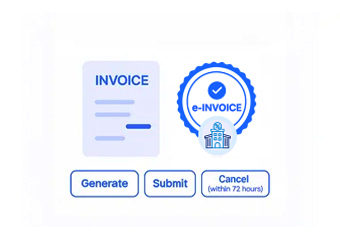
- Adjustments Follow Defined Paths: Supported retail adjustments progress through configured AT workflows.
What Advintek Extends to Epicor Eagle
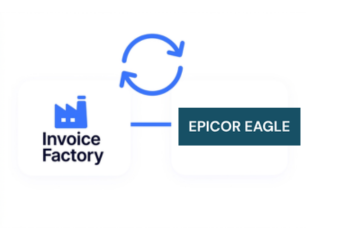
Advintek provides a Portugal-focused AT processing layer around Epicor Eagle retail information, connecting transaction data with structured invoice documentation.
- Extends Epicor Eagle sales workflows
- Connects retail transactions with invoices
- Preserves merchandise transaction context
- Supports structured AT documentation
Why Retailers Connect Epicor Eagle
- Point-of-Sale Continuity: Relevant sales information can remain connected with AT documents, helping retailers preserve context between completed store transactions and resulting invoices.
- Merchandise Identification: Product information can accompany applicable invoice records, providing clearer visibility into the merchandise represented by each retail transaction.
- Store-Level Context: Store references can remain associated with processed documents, helping organizations distinguish transactions across different retail locations and operating environments.
- Customer Purchase Visibility: Applicable customer information can support invoice identification, helping teams connect retail purchases with corresponding customer records.
- Inventory Relationship: Relevant stock information can provide additional transaction context, particularly where merchandise movement and retail sales are closely connected.
- Return Documentation: Supported returns and adjustments can follow applicable processing paths while maintaining links to their originating retail transaction information.
Everything You Need for Portugal E-Invoicing in One Place
Real-Time Validation Feedback
Relevant Epicor Eagle sales information can support Portugal invoice workflows with connected transaction details.
Centralized Financial Dashboard
Applicable product information can remain linked with corresponding AT invoice documentation.
Continuous Compliance Support
Relevant store-level references can support identification of processed retail invoice records.
How Portugal AT Processing Works With Epicor Eagle
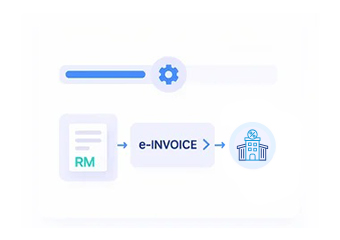
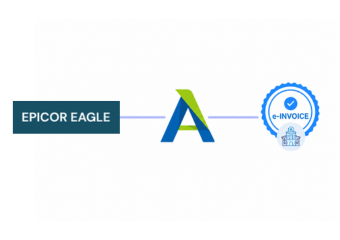
Epicor Eagle supplies retail transaction information, while Advintek processes applicable invoice data through configured Portugal AT documentation workflows.
- Epicor Eagle supplies sales data
- Advintek manages AT processing
- Portugal requirements guide documentation
- Retail references remain connected
For Portugal AT Documentation
Advintek adds structured AT processing around Epicor Eagle retail transaction information.
Keep retail records connected with AT documents.
Ready e-Invoice System
Frequently Asked Questions Epicor Eagle ERP E-Invoicing Portugal
1. Can Epicor Eagle POS transactions support Portugal invoice processing?
Relevant Epicor Eagle retail transactions can provide source information for a configured Portugal invoice workflow. Depending on the integration, sales details, merchandise information, customer data, store references, and applicable transaction information can be transferred for structured AT document processing through Advintek.
2. How can merchandise information from Epicor Eagle appear in invoices?
Where supported by the configured integration, applicable product and merchandise information can accompany invoice records. This helps preserve useful transaction detail and provides clearer visibility into the products represented by retail sales processed through the connected Portugal AT workflow.
3. Can Epicor Eagle store information help identify invoices?
Yes. Where relevant store references are available through the configured integration, they can remain associated with invoice records. This can help retailers distinguish documents generated from different locations and connect AT records with their originating Epicor Eagle retail activity.
4. Can customer purchase information remain connected with invoices?
Applicable customer information can remain associated with transaction and invoice records where supported. This helps maintain a relationship between customer purchases recorded in Epicor Eagle and corresponding AT documentation while providing finance teams with additional context during invoice review.
5. How are returns and retail adjustments handled?
Supported returns or adjustments can follow the applicable configured processing path while retaining information from the originating retail transaction. This helps maintain continuity between the original Epicor Eagle sale and subsequent AT documentation associated with the adjusted transaction.