

Customize Microsoft Power Apps Invoice Processing
How Microsoft Power Apps Handles Invoice Requests
- Custom Forms Capture: Users submit invoice information through configured application interfaces with relevant business and transaction details.
- Connected Sources Inform: Business data supplies additional context for submitted records through connected applications and workflows.
- Approval Routes Direct: Invoice requests move through defined review stages according to configured business approval requirements.
- Workflow Rules Evaluate: Configured conditions determine subsequent application actions based on invoice information and processing requirements.
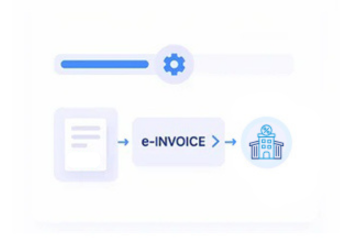
- Validated Data Proceeds: Suitable information continues toward AT document processing after required validation checks are completed.
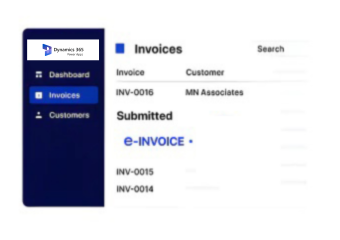
- Processing Status Updates: Workflow results remain visible within connected applications for clearer monitoring and operational follow-up.
How Advintek Extends Microsoft Power Apps
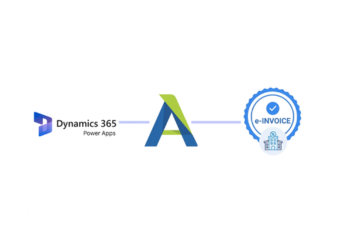
Advintek adds Portugal-focused AT document processing around Power Apps workflows, helping organizations connect customized applications with structured invoice handling.
- Extends customized invoice workflows
- Structures submitted invoice information
- Connects applications with AT processing
- Supports Portugal document workflows
Why Custom Microsoft Power Apps Workflows Matter
- Process Personalization: Organizations can design invoice applications around their own submission, review, approval, and information-handling requirements.
- Consistent Data Collection: Configured forms can guide users toward providing invoice information in a structured and repeatable format.
- Approval Visibility: Defined review paths make it easier to understand who needs to assess submitted invoice information before processing continues.
- Application Connectivity: Power Apps can interact with connected business information, allowing invoice workflows to draw context from wider organizational processes.
- Controlled User Access: Role-based application settings can help determine which users can interact with specific invoice-related activities.
- Workflow Transparency: Status indicators can provide users with clearer visibility into submitted, reviewed, processed, or pending invoice records.
Seamless Management of Portugal E-Invoicing Workflows in Microsoft Power Apps
Custom Form Design
Power Apps allows organizations to tailor invoice information screens around specific business processes and user requirements.
Approval Process Automation
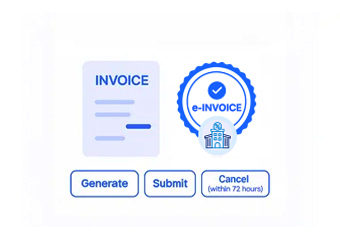
Configured workflow actions can route invoice submissions through defined review and authorization stages.
Business Data Connections
Connected data sources can provide additional information supporting customized invoice applications and related business activities.
What Microsoft Power Apps Provides
Microsoft Power Apps supplies the customizable application environment, while Advintek organizes applicable information for structured Portugal AT document processing.
- Uses customized application processes
- Captures invoice information
- Connects business data
- Structures AT documents
With Advintek For Custom Business Workflows
Advintek connects customized Power Apps processes with structured Portugal AT document handling.
Make invoice workflows easier to manage across business applications.
Ready e-Invoice System
Frequently Asked Questions Power Apps e-Invoicing Portugal
1. Can Microsoft Power Apps support Portugal e-invoicing processes?
Yes. Power Apps can provide customized forms and workflows for collecting, reviewing, and managing invoice information. Advintek can organize applicable information submitted through configured Power Apps processes for Portugal-focused AT document processing, allowing organizations to maintain customized application experiences alongside structured invoice workflows.
2. How can Power Apps forms support invoice data collection?
Power Apps forms can be configured around an organization’s specific information requirements, allowing users to submit invoice details through customized application interfaces. The collected information can then enter connected workflows for review and subsequent processing, with Advintek handling applicable Portugal-focused AT document activities.
3. Can Power Apps automate invoice approval workflows?
Yes. Power Apps can support configured approval processes that route invoice requests between designated users or teams. Workflow conditions can determine subsequent actions after review, while Advintek can process applicable invoice information through the configured Portugal AT workflow once required business activities are completed.
4. Can Power Apps connect with existing business information?
Yes. Power Apps can connect with supported business data sources, allowing customized invoice applications to use information maintained elsewhere within an organization. This can provide additional transaction context before processing, while Advintek organizes applicable information for the configured Portugal AT document workflow.
5. Why connect Advintek with Microsoft Power Apps?
The connection allows Power Apps to remain the customized application layer for invoice-related business processes while Advintek provides structured AT document processing. Organizations can maintain tailored forms, approvals, and workflows while applicable invoice information moves through configured Portugal-focused processing and documentation activities.