

Compliance That Fits Microsoft Dynamics 365 Commerce Users
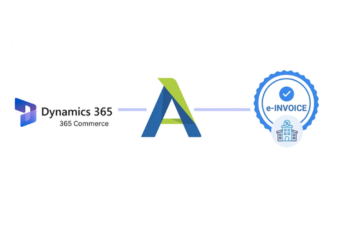
How Microsoft Dynamics 365 Commerce Connects with Advintek
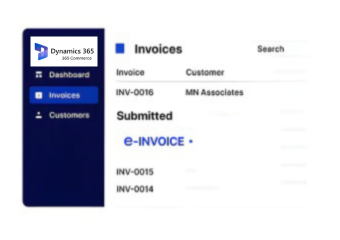
- Commerce Transaction Intake: Sales and invoice information originating from Dynamics 365 Commerce enters the connected workflow for further processing.
- Omnichannel Information Mapping: Relevant details from retail and digital commerce transactions are mapped into the appropriate invoice data structure.
- Customer and Product Review: Associated customer, product, quantity, and transaction information is checked for consistency during processing.
- Portuguese Compliance Preparation: Invoice information is organized according to applicable Portuguese invoicing and reporting requirements.
- Document Processing Response: Processing outcomes and identified exceptions are captured for appropriate review by finance and commerce teams.
- Invoice Record Completion: Finalized invoice information is organized with relevant transaction context for reconciliation and ongoing reference.
What Does Advintek Add to Microsoft Dynamics 365 Commerce?
Advintek adds a Portugal-focused invoice compliance layer to Dynamics 365 Commerce, connecting retail transaction data with structured processing without interfering with core commerce operations.
- Connects commerce transactions with invoicing
- Preserves product and customer context
- Supports Portugal-specific invoice processing
- Organizes records across retail workflows
Why Commerce Teams Use Advintek with Dynamics 365 Commerce
- Omnichannel Invoice Consistency: Invoice processing can account for information generated across physical retail, digital storefronts, and connected commerce channels.
- Product-Level Context: Relevant product and transaction details remain available with invoice information, supporting clearer financial review across sales activity.
- Centralized Compliance Processing: Portugal-related invoice activities can be handled through a dedicated layer without moving commerce teams away from Dynamics 365 Commerce.
- Better Retail Reconciliation: Connected transaction and invoice information can help finance teams compare sales activity against corresponding financial documentation.
- Faster Exception Recognition: Processing controls can surface unusual or incomplete invoice information, helping teams investigate specific documents rather than reviewing every transaction manually.
- Commerce-Focused Adaptability: The workflow accommodates the operational characteristics of retail invoicing while addressing applicable Portuguese document and reporting considerations.
Complete Control Over Portugal E-Invoicing Workflows in One Platform
Error Detection and Resolution Support
Bring relevant store, online, and commerce transaction information into a coordinated invoice processing workflow designed for Portuguese operations.
Dashboard and Reporting
Use connected transaction and invoice information to support comparisons between commerce activity and corresponding financial documentation.
Dedicated e-Invoicing Support
Maintain relevant invoice details and processing information in an organized structure for reporting, verification, and internal financial controls.
Built for Retailers Using Dynamics 365 Commerce in Portugal
Advintek supports retailers managing stores, digital sales channels, product catalogs, customer transactions, and invoice operations through Microsoft Dynamics 365 Commerce.
- Connect store transactions with invoices
- Coordinate online sales documentation
- Preserve product transaction information
- Review retail invoice exceptions
Connect Retail Operations with Compliance
Advintek brings Portugal-focused invoice processing closer to Dynamics 365 Commerce without interrupting established retail operations.
Commerce runs through Dynamics 365 Commerce. Advintek supports invoice compliance.
Ready e-Invoice System
Frequently Asked Questions Microsoft Dynamics e-Invoicing Portugal
1. How does Dynamics 365 Commerce work with Advintek for Portuguese invoicing?
Dynamics 365 Commerce continues managing retail transactions, products, customers, and commerce operations while relevant invoice information can move into Advintek for configured processing. The connected workflow can handle invoice data preparation, validation, Portuguese compliance considerations, exception management, and organized financial records.
2. Can store and online transactions from Dynamics 365 Commerce use the same invoice workflow?
A configured integration can bring relevant information from different Dynamics 365 Commerce transaction channels into a coordinated processing workflow. This can help businesses maintain consistent invoice handling across physical stores, online commerce, and other supported channels while retaining the originating transaction context.
3. Does Advintek interfere with Dynamics 365 Commerce retail operations?
Advintek is designed as an additional invoice-processing layer rather than a replacement for Dynamics 365 Commerce. Retail teams can continue using Commerce for products, customers, orders, and transactions while relevant invoice information is passed through the connected workflow for configured Portugal compliance activities.
4. Can product information from Dynamics 365 Commerce remain on invoice records?
Relevant product information can be mapped with invoice data when supported by the configured integration. Details such as products, quantities, and transaction information can remain associated with the resulting invoice, helping finance teams retain useful commercial context during reconciliation and document review.
5. How are Dynamics 365 Commerce invoice exceptions handled?
Configured processing checks can identify invoice information that requires attention and make the relevant document available for review. Commerce or finance teams can investigate the originating transaction, correct applicable information through the appropriate system, and process the revised invoice through the workflow again.